The past weeks have produced many updates that we are excited to share! As users interact and create more and more notes in Scrintal, managing and getting a quick overview of the contents becomes integral. Therefore, the latest series of updates aim to make the platform more intuitive, organized, and user-friendly while providing more control over the content created within the platform. So let’s dive into the details!
Dedicated Shortcuts in Desk tools
One of the most significant changes in this update is the introduction of dedicated shortcuts for all actions within the “+” menu in desk tools. This change makes accessing the actions you need more accessible and faster, with the shortcuts visible when you click the button.
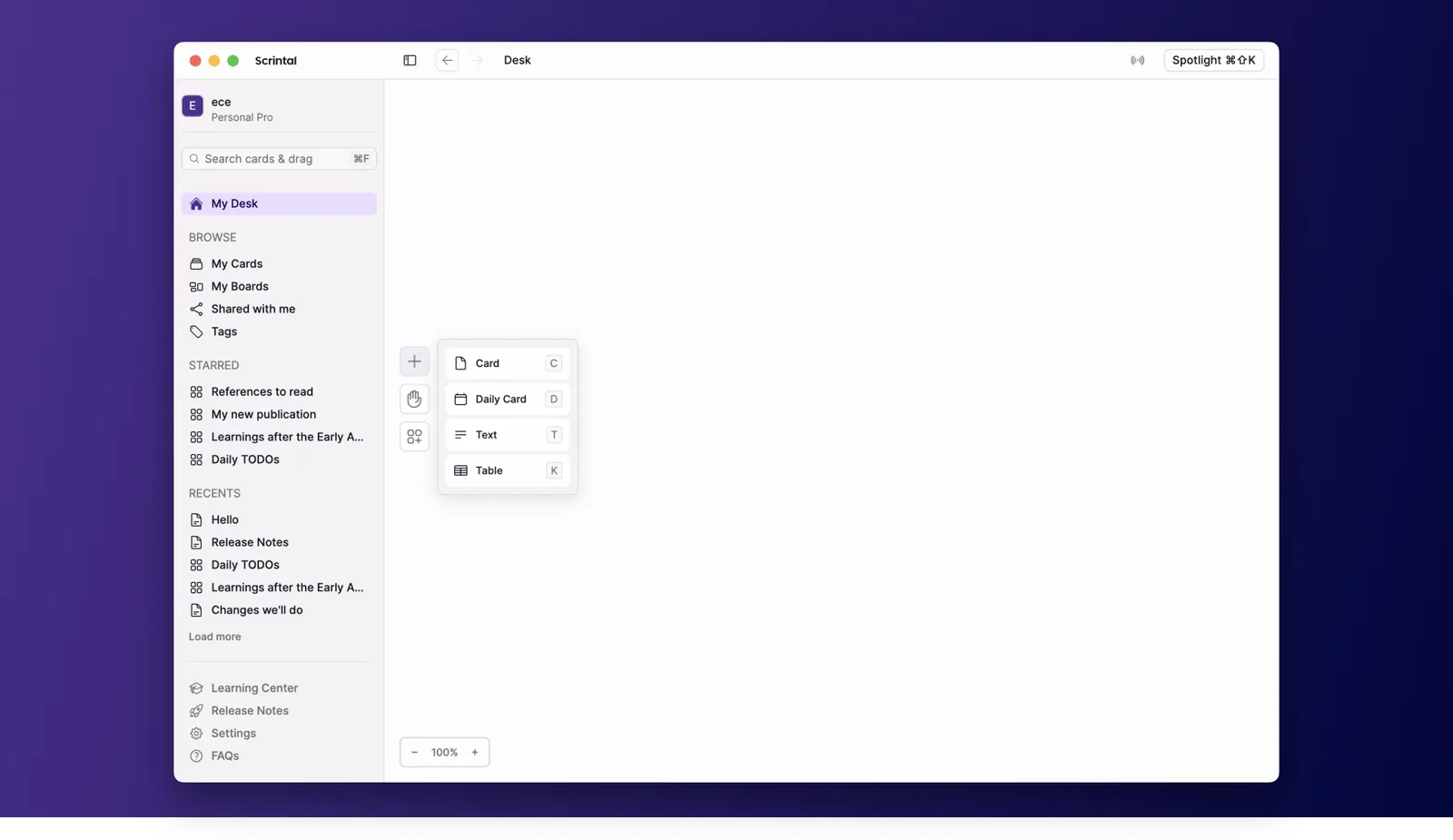
Actions in desk tools now have dedicated shortcuts
Improved My Cards and My Boards Pages
We have introduced brand new My Cards & My Boards pages, further polished and improved from the previous versions. The new page displays the content in a structured and organised list that gives you a clear overview of your cards. The list shows the title of a card, its tags, and meta information like creation date, last update date, and sharing status. In addition, you can quickly find what you’re looking for with dedicated sorting and filter options.
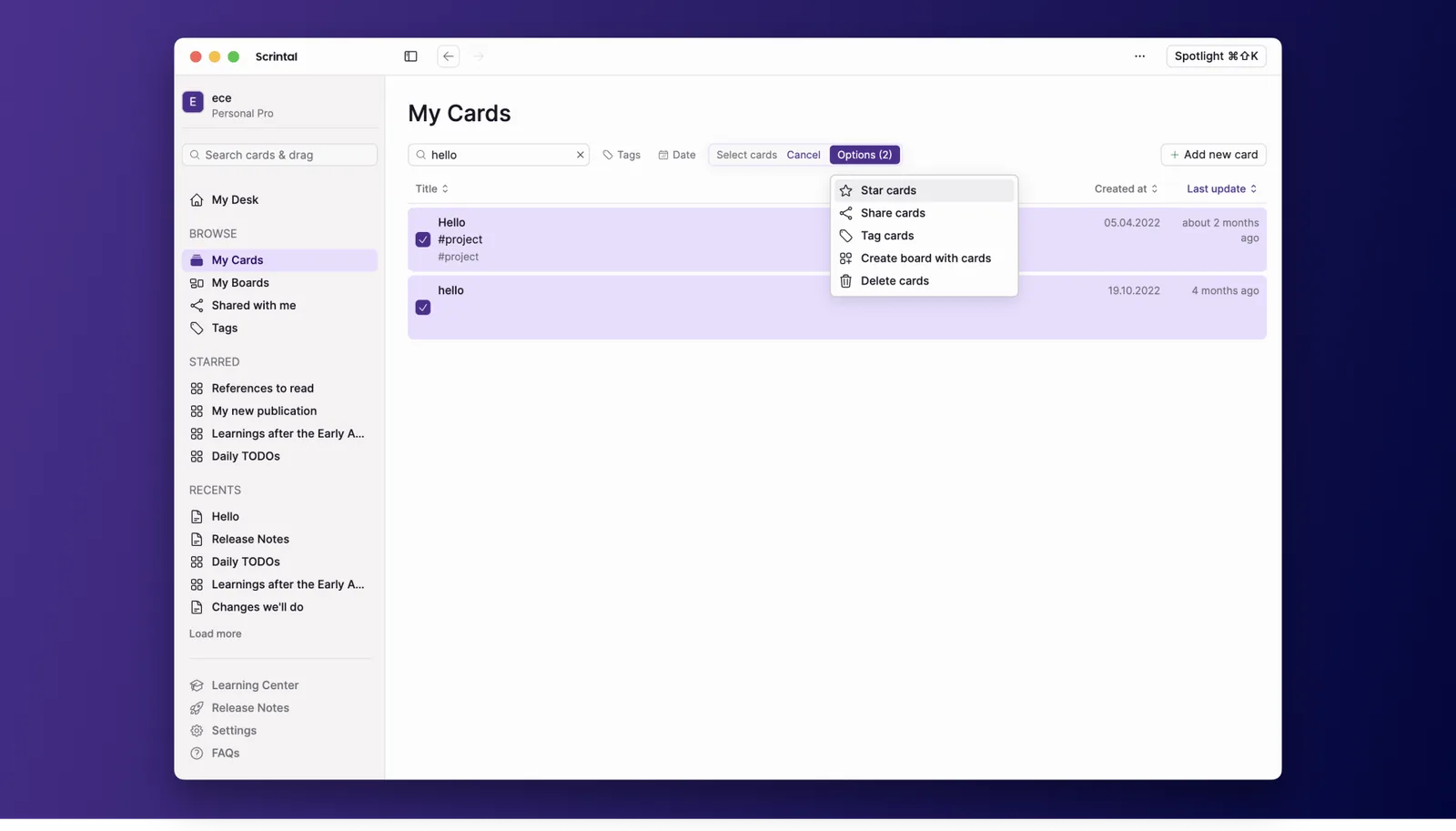
My Cards and My Boards views allow easy management of cards and boards
Within the My Cards view, you can select single or multiple cards and quickly create a new board, star, share, or delete them. The same goes for the My Boards view, where you can select single or multiple boards and quickly star, share, or delete them.
Additional Browse Views: Shared with Me and Tags
In recent updates, we have added two new views: Shared with Me and Tags. The Shared with Me view displays a segmented view of the cards and boards created by other users and shared with you. With the addition of this view, the My Boards and My Cards views will only display the cards and boards created by you. The Tags view displays a list of all the tags you have, and you can search, click, and create boards with them.

New Release Notes Item
For increased transparency and to give better insight to users, we have introduced a new item to the sidebar — Release Notes. This item allows you to read about the latest changes to the platform and provides a link to the public Release Notes board, where you can find previous updates.
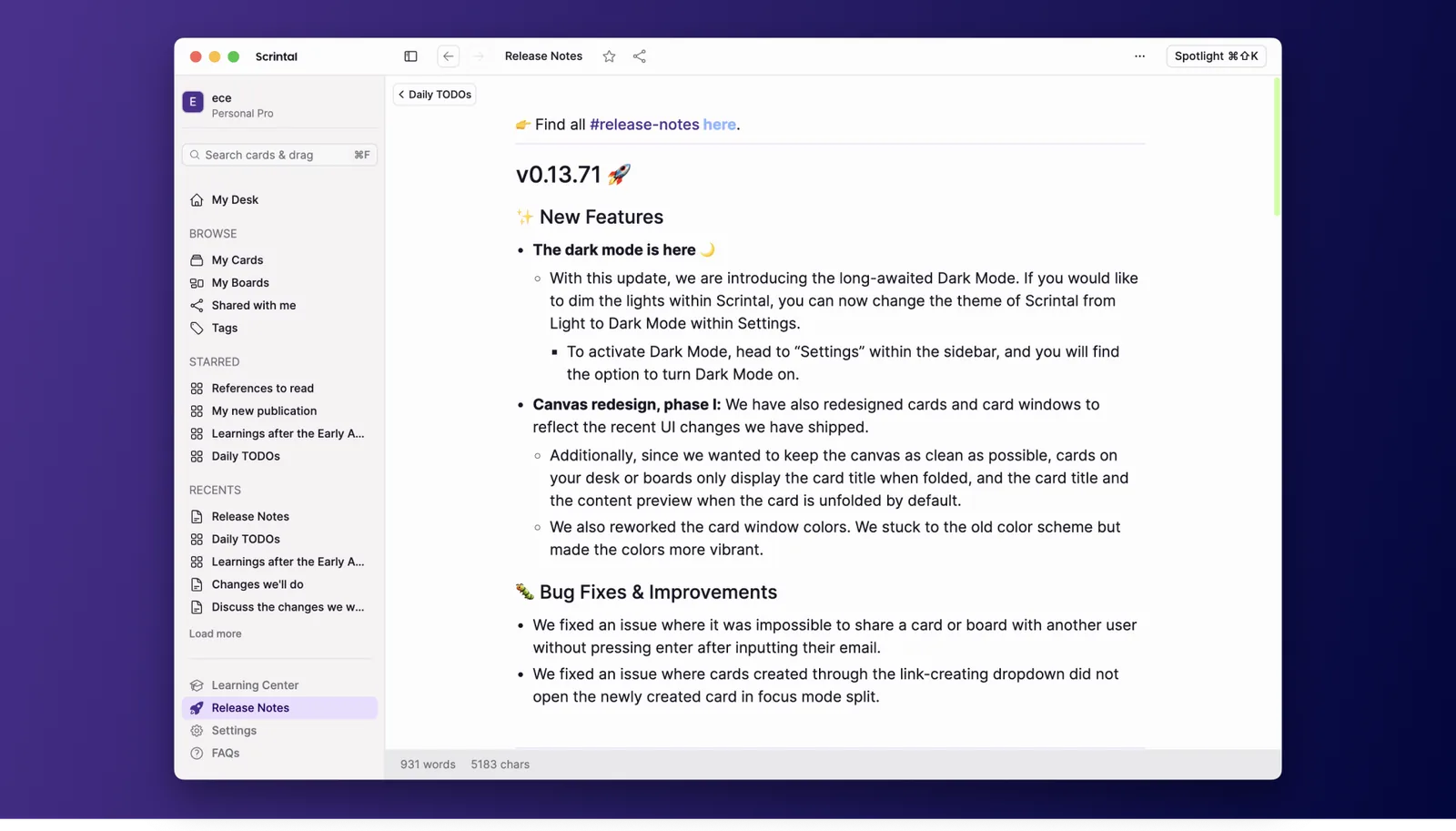
Release Notes can now be found in the bottom left corner
Bug Fixes and Improvements
In addition to the new features, we have also fixed several bugs and improved the platform. For example, the desk tools now feature new icons, a new UI, and a unified action for creating cards. The scaling tool for zooming in and out has also been updated to the new design. Other bug fixes include an issue with updating newly created card names, the ability to share multiple cards, and improved search functionality.
Going forward…
There you have it! With content management improved, we will focus on Scrintal’s interaction with other apps and the import and export of content in the upcoming period. Stay tuned for the next update!

If you’d like to try Scrintal and unleash your visual thinking with networked notes, sign up here and let us know!
Check our 👉 previous product update.
Join our Community slack to learn all the news, connect with other users, and ask questions ✨