In the last couple of weeks we brought new functions and also did improvements. Our community reacted so positively, and we are happy to keeping on improving Scrintal!
🔎 Spotlight feature
Our users now can use a spotlight feature, something like a nice looking shortcut to their archive content by pressing CMD+SHIFT+K (or CTRL+SHIFT+K on Windows). It allows them to quickly jump to a card or board in their archive. They can simply type the name of the card/board, navigate with the up and down arrow keys and press enter to open.
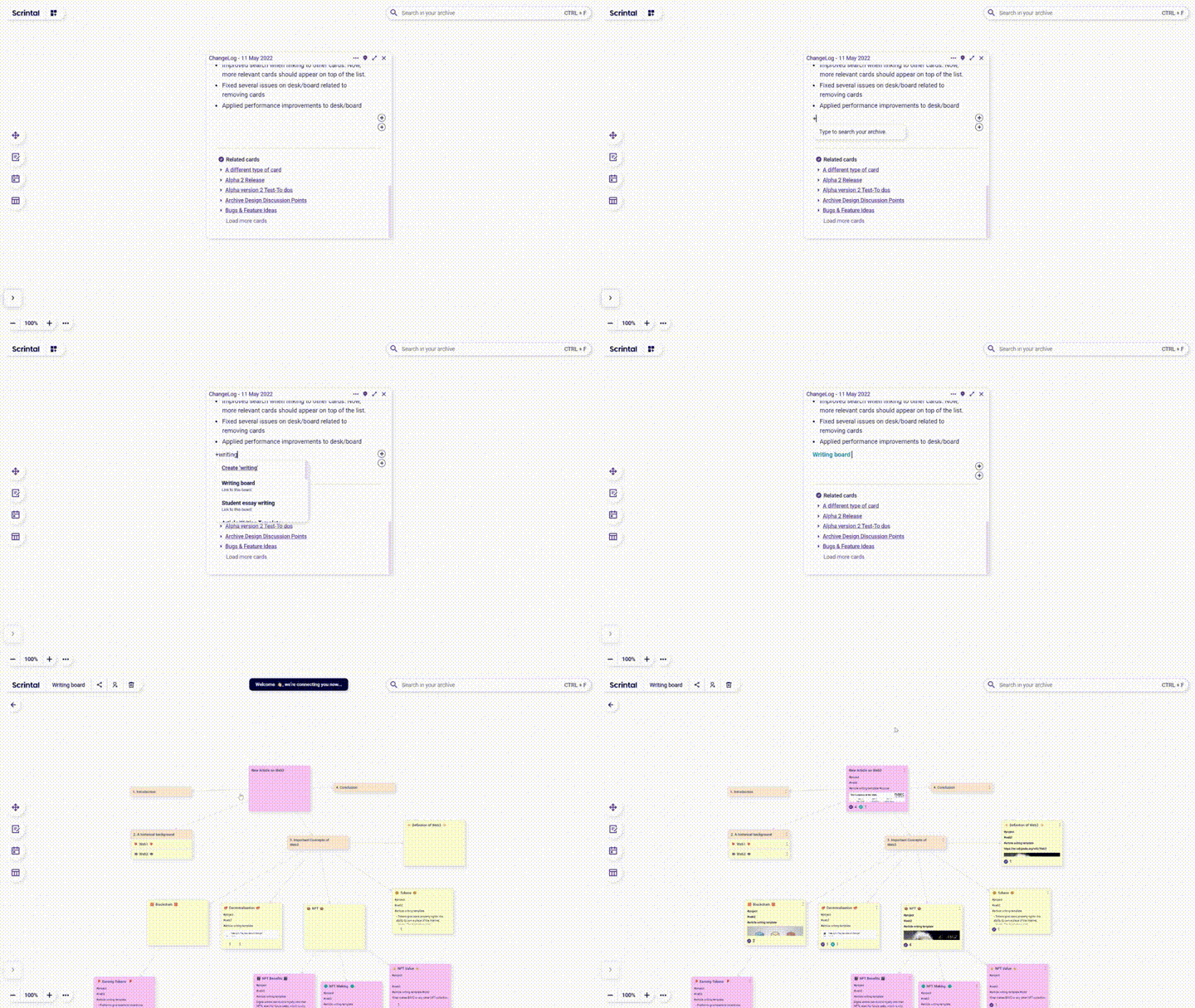
🔗 Link to boards from cards
Linking to boards is crucial to find your way and navigate! Now users can link boards to cards just like doing a card-to-card linking. To show the difference between cards and boards links, we used a new color.
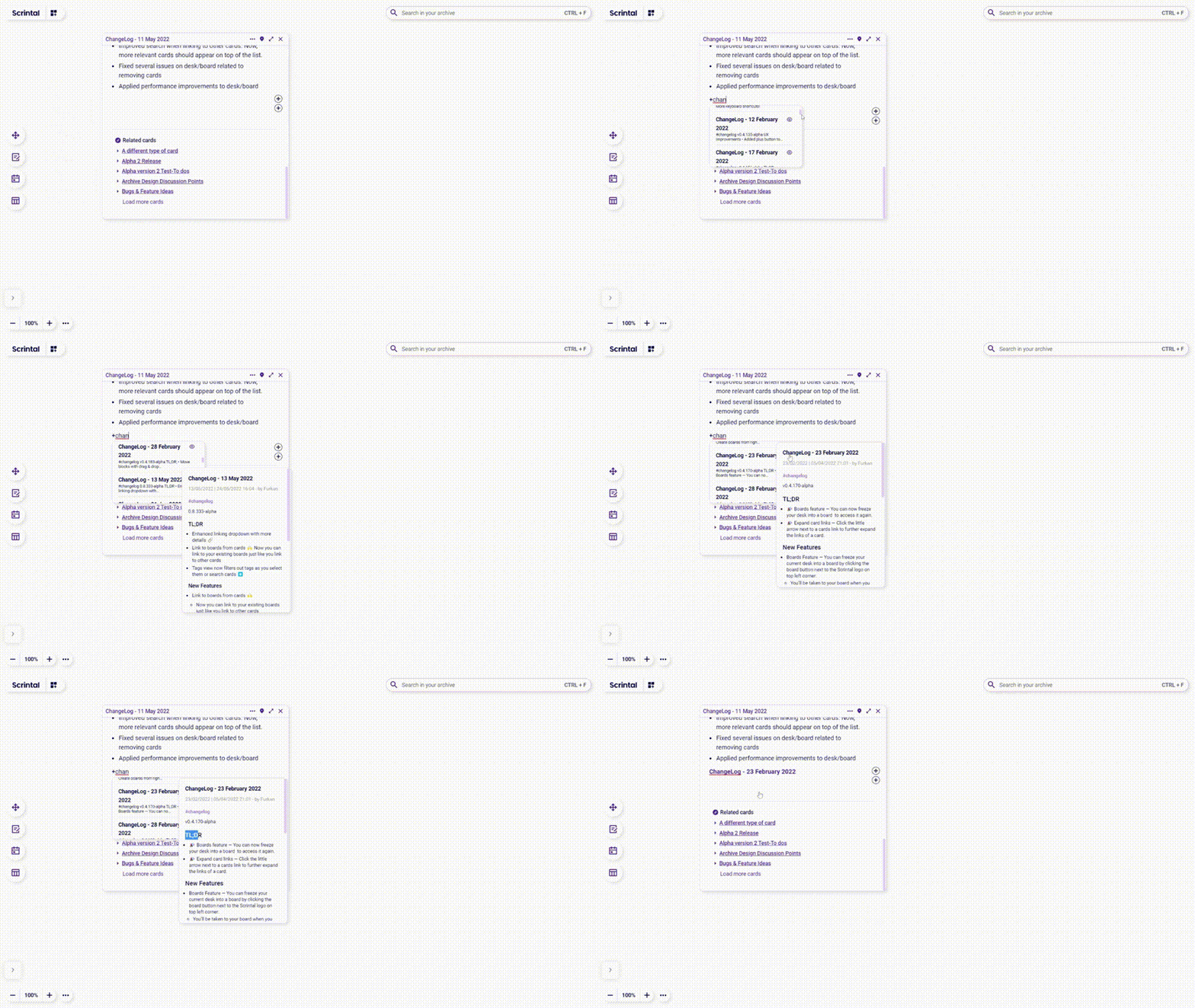
⏬ Enhanced linking dropdown with more details
Sometimes, the title of a card does not provide enough information for us to recall its content. Besides, there is nothing more frustrating than creating a link to a wrong card, having to remove it and establish a link again. So now we show a small (64 chars) card snippet while linking cards. We also added a preview 👁 icon in the linking dropdown so that you can take a look at the full card content easily.
🖼️ Thumbnails on public boards
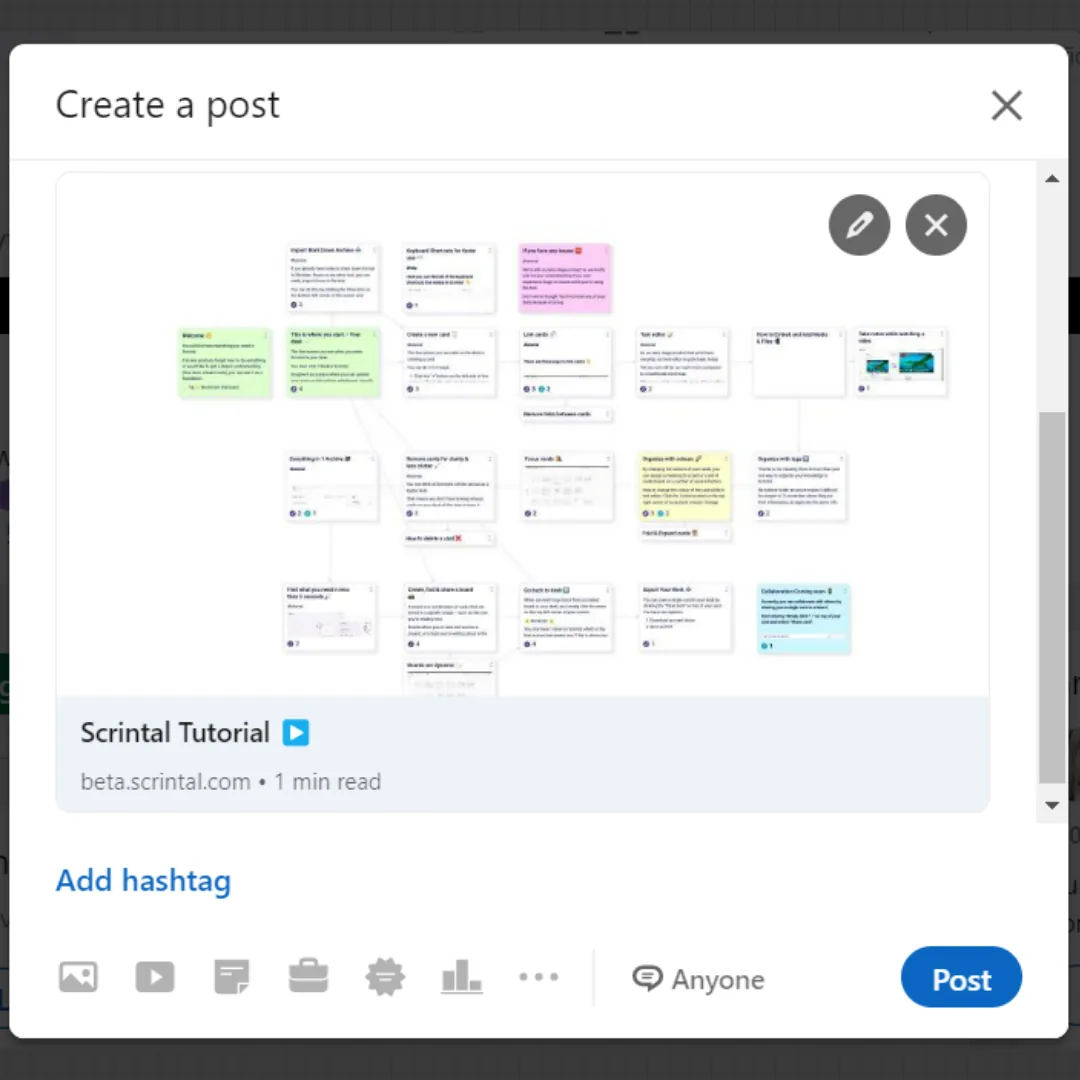
We understand how Scrintal users would like to share the knowledge they build with their friends, colleagues, clients or audience on Social Media. To make the sharing experience more visual, we released a “thumbnail” feature that is generated automatically when users publish a board. This thumbnail is visible every time board link is shared.
Improvements
#️⃣ Tags view now filters out tags as they are selected
After you type a query or select a tag, the tag list on the right handside will be narrowed down displaying only the tags the cards on search results have.
Additional Updates
New shortcut [CMD+A]: Select all cards on desk/board
Select a text and paste a link: Pasted link will be added as link to the selected text instead of replacing the text.
Indicate the heading level and formatting on selected text in the toolbar: When a formatting tool is chosen, now the toolbar will show which icon button is selected.
Extra
El Productivista Roberto Castro, member of our community, made a review of Scrintal in his latest video ¿Notas + Mapas Mentales?
Chuck Frey, owner of Mindmapping Software Blog published The future of note-taking is visual on Medium.
Scrintal co-founder and CTO, Furkan Bayraktar, joined Jacek Schæ from Clojure Stream to discuss Clojure, stack, re-writes, piloting into a new thing, and more in this podcast episode.
If you’d like to try Scrintal and unleash your visual thinking with networked notes, sign up here and let us know!
Check our 👉 previous product update.
Join our Community slack to learn all the news, connect with other users and ask questions ✨